How to Photograph the Aurora
A complete guide to capturing the northern and southern lights — from choosing the right gear to editing your final image.
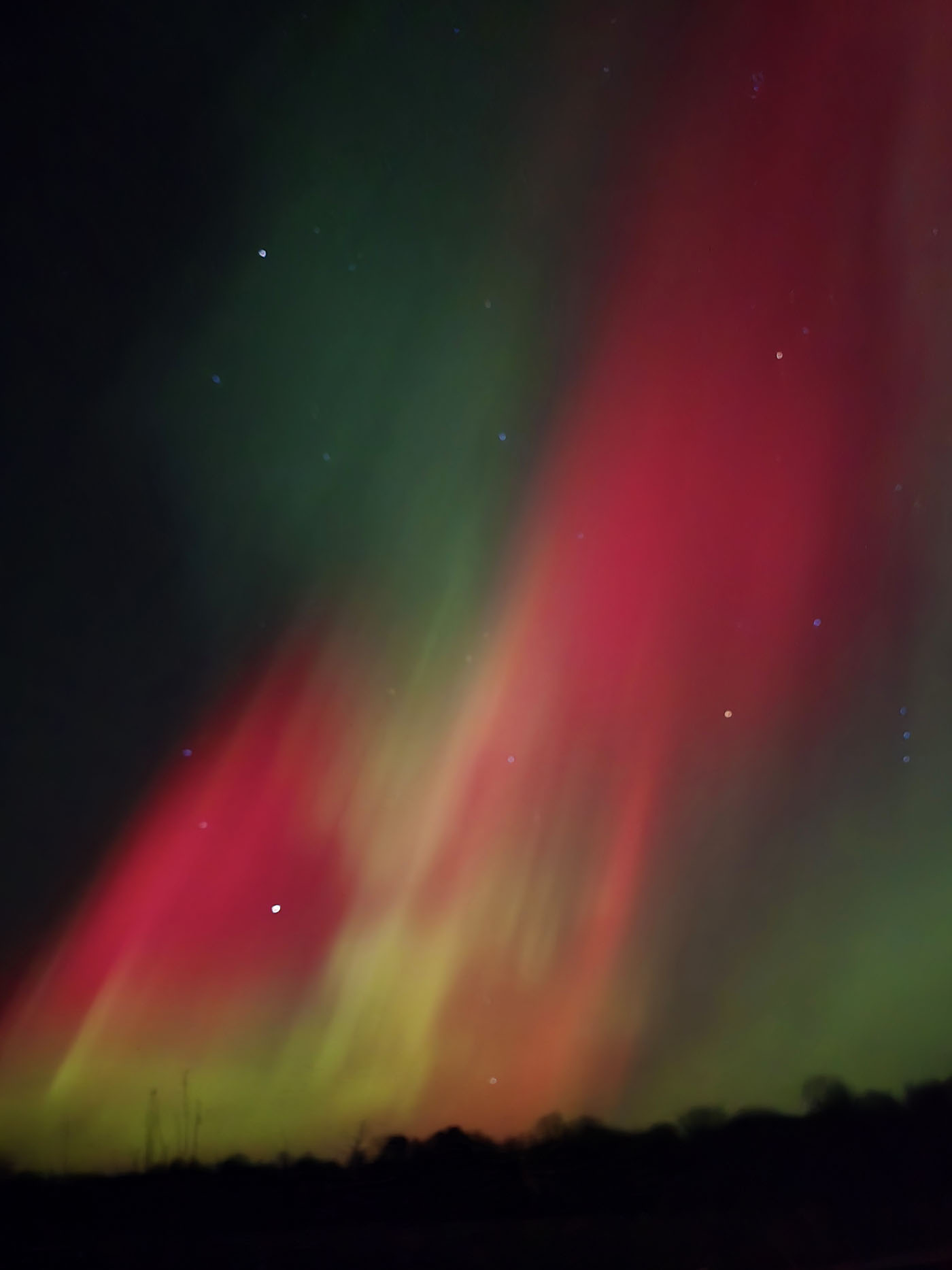
The aurora borealis is one of nature's most photogenic subjects — and one of the most challenging to capture well. The combination of extreme darkness, cold temperatures, unpredictable timing, and rapidly changing light makes aurora photography a true test of preparation and patience. The good news is that with the right gear, the right settings, and a little practice, almost anyone can come home with images that genuinely reflect what they saw.
This guide walks through every stage of the process, from the equipment you will need to the final edits that make your image come alive. Whether you are shooting with a professional mirrorless camera or the phone in your pocket, there is something here for you.
Quick Reference: Starting Settings
Gear: What You Actually Need
You do not need the most expensive camera on the market, but a few items are non-negotiable. A camera that allows full manual control is essential — this rules out most point-and-shoot models but includes virtually every mirrorless and DSLR camera made in the last fifteen years. A wide-angle lens with a maximum aperture of f/2.8 or wider will make a significant difference; f/1.8 or f/2.0 is even better. A sturdy tripod is absolutely mandatory — there is no handheld workaround for twenty-second exposures in freezing temperatures. A remote shutter release or the camera's built-in timer will eliminate vibration caused by pressing the shutter button. Bring extra batteries and keep them warm in an inner pocket. Cold drains batteries at a shocking rate, and you do not want to run out during a strong display.
Camera Settings to Start With
Aurora photography involves balancing three variables: ISO, shutter speed, and aperture. Open your aperture as wide as your lens allows — f/1.8, f/2.0, or f/2.8 if that is your widest option. Set your shutter speed somewhere between 5 and 20 seconds. Shorter exposures (5–8 seconds) freeze the aurora's movement and capture sharp individual curtains and rays; longer exposures (15–25 seconds) blur the motion and produce a smoother, softer glow but can look muddy during fast-moving displays. Start your ISO at 1600 and adjust from there — if the image is too dark, increase it; if there is too much noise, decrease it. Shoot in RAW format if your camera supports it. RAW files retain far more information than JPEGs and give you much greater flexibility in post-processing. Focus manually on a distant star or bright point of light, and verify sharpness by zooming into your test shot on the camera's display.
Location Scouting and Composition
The best aurora photographs are almost never just a picture of the sky. What makes them memorable is what is in the foreground — a frozen lake reflecting the lights above, a lone spruce tree silhouetted against the glow, a wooden cabin with warm light spilling from its windows, or a winding snowy road disappearing into the dark. Scout your location before the aurora appears. Walk the area in the evening light, identify compositions that interest you, and mark the spots where you plan to set up your tripod. Check which direction is north (or south, for the aurora australis) so you know where to point your camera. Use a light pollution map to find areas well away from towns and roads. Apps like PhotoPills or The Photographer's Ephemeris help you visualize where the Milky Way and other celestial features will appear, letting you plan shots that combine the aurora with other elements.
Timing, Patience, and Reading the Sky
The aurora rarely performs on command. Some of the greatest displays begin as a faint green smudge near the horizon and build slowly over hours; others erupt without warning and fade within minutes. Check Solar Ruler's live aurora oval map in the afternoon and again after dark — when the green band over your region is wide and intense, activity is elevated and you should be outside with your camera ready. The hours around local midnight tend to produce the most active displays, but some of the strongest events happen in the early evening or in the two hours before dawn. Dress warmly enough to stand still for hours, because when a strong display begins you will not want to go inside. Bring a hot drink, a headlamp with a red mode so you preserve your night vision, and enough patience to let the sky show you what it intends to do.
Photographing the Aurora on a Smartphone
Modern smartphones have dramatically closed the gap with dedicated cameras for aurora photography, but they still require the right conditions and technique. The most important feature to look for is a dedicated Night Mode or Astrophoto mode — found on most flagship iPhones and Android devices made after 2020. These modes take multiple long exposures and combine them automatically, producing images that would have been impossible on a phone just a few years ago. Use a small tabletop tripod or prop your phone against a stable surface; even the slightest movement will blur the result. Avoid using the digital zoom — instead, get physically closer to your foreground subject and let the sky fill the upper portion of the frame. If your phone supports manual or pro mode, try an ISO of 1600–3200 with a shutter speed of 8–15 seconds. The results will not match a professional camera, but they can be genuinely beautiful and far better than most people expect.
Post-Processing: Bringing Out the Colors
Even a well-exposed aurora shot usually benefits from careful editing. If you shot in RAW, open the file in Lightroom, Capture One, or a similar editor. Start by adjusting exposure and contrast — auroras often benefit from slightly lifted shadows to reveal foreground detail while keeping the sky dark and dramatic. Increase clarity and texture moderately to bring out the fine structure within the aurora's curtains. The colors you see in the camera are already real — avoid the temptation to dramatically shift hues, as over-processed aurora images tend to look artificial. Reduce noise carefully; most dedicated noise reduction tools handle the grainy sky well while preserving the aurora's soft edges. If the stars appear as trails rather than points, your shutter speed was too long — in future shots, use the 500 Rule as a starting point: divide 500 by your focal length to get the maximum shutter speed before star trailing becomes visible at your sensor size.
Common Mistakes to Avoid
- Not bringing enough warm clothing. Cold is the number one thing that ends an aurora session early.
- Forgetting to charge batteries and bring spares. Cold temperatures cut battery life dramatically.
- Using autofocus in the dark. Your camera will hunt and never lock. Switch to manual and focus on a star.
- Shooting with your lens at its sharpest aperture. f/8 is great for landscapes by day; it is far too dark for aurora photography at night.
- Standing under streetlights or in a lit parking lot. Drive even ten minutes away from artificial light and the difference is dramatic.
- Giving up after thirty minutes. Some of the best displays begin after midnight or after a quiet first hour. Patience is one of the most important pieces of kit.